Did you know profiles with professionally designed pictures get up to 36% more engagement? It’s amazing how a single image can shape someone’s perception of us online in seconds. Whether you’re on social media, LinkedIn, or a freelance platform, a well-thought-out profile picture can be a game-changer for creating that positive first impression.
Why Profile Pictures Matter
People often notice your profile picture, setting the tone for how they perceive you and whether they choose to connect, follow, or even do business with you. It’s your digital handshake! A compelling profile picture can make you stand out in the crowd, show off your personality, or simply reflect professionalism in a way that speaks volumes—all without saying a word.
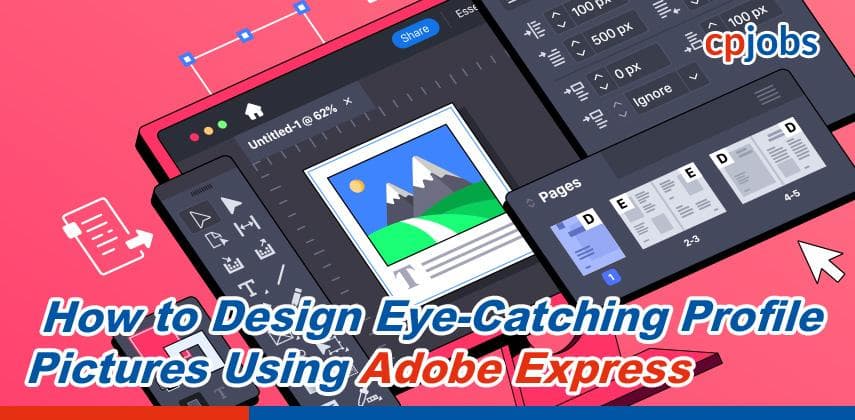
Enter Adobe Express: a user-friendly tool that makes creating standout profile pictures a breeze, even if you’re new to design. With simple templates and customization options, you can easily craft a unique look that aligns with your personal or professional brand. Create a profile picture with Adobe Express to explore the possibilities and get started on your journey to a more engaging online presence. Ready to dive in? Let’s get started!
Key Elements of an Engaging Profile Picture
When it comes to profile pictures, composition is everything. A well-composed image ensures that your face remains the focal point, essential when displayed on smaller screens like mobile phones. Keep your face centered in the frame, and avoid being too close or far away. The “rule of thirds” can also help: position your eyes about one-third from the top of the frame to make the image feel more balanced. This approach keeps things looking polished and lets viewers connect with you immediately.
Proper Lighting
Lighting can make or break a photo, so it’s worth paying attention to! Natural lighting—especially near a window or outdoors—provides a soft, flattering glow that enhances facial features without creating harsh shadows. If natural light isn’t available, use soft artificial lighting like a ring light. Avoid strong overhead lights that can create unflattering shadows. Good lighting adds warmth to your picture, making you look approachable and professional.
Background and Color Choice
Choosing the right background and colors can enhance your profile picture’s overall impact. A simple background, like a solid color or a subtle pattern, keeps the focus on you without distractions. When picking a color, consider its psychology; for example, blue often conveys trust, while green can feel calming. Your background color should complement your clothing and skin tone without overpowering the image. Adobe Express offers great options for experimenting with background colors, making it easy to find the perfect look.
Expression and Body Language
Your expression and posture can convey a lot about your personality. A warm smile or a gentle, neutral expression tends to feel friendly and approachable. Try maintaining a relaxed posture—stiffness can make you appear uncomfortable or unapproachable. Think of your profile picture as a silent introduction; people should feel like they’d want to say hello! Experiment with different looks to find an expression that feels natural, inviting, and truly “you.”
Step-by-Step Guide to Creating a Profile Picture Using Adobe Express
Step 1: Setting Up in Adobe Express
To get started, open Adobe Express and create a new project. Select the dimensions that fit most profile pictures—typically, a square format works best, as it’s ideal for most social media platforms. Adobe Express provides a range of templates, so pick one that feels right for your style or profession. Templates make it easier to structure your photo and add personalized touches, whether a border or a subtle design element.
Step 2: Uploading and Adjusting the Photo
Once you’ve set up the canvas, upload the photo you want to use. Adobe Express makes adjusting essential elements like brightness, contrast, and saturation simple—just a few tweaks can bring out the details and make your photo look crisp and clear. Brightening the image slightly can enhance clarity, while adjusting the contrast helps define features without overly editing the photo. These adjustments can help your profile picture “pop” and look great on any screen.
Step 3: Using the Background Removal Tool
Adobe Express’s background removal tool is a game-changer, allowing you to isolate yourself from any background distractions. You can remove the original background with a single click and replace it with a color or image that aligns with your personal or professional brand. Simple backgrounds work best for profile pictures—try solid colors or subtle textures that don’t compete with your face. This tool gives you control to ensure the focus remains on you without clutter.
Step 4: Adding Filters and Enhancing Effects
Adding a subtle filter can elevate your photo’s overall aesthetic without making it feel overly edited. Adobe Express offers a variety of filters and effects, so experiment to see which one complements your look best. Avoid heavy filters that make you appear unnatural; opt for a slight warmth or contrast boost to enhance authenticity. The goal is to highlight your features while keeping the photo professional and approachable.
Step 5: Adding Text or Branding Elements (Optional)
For those who want a touch of personalization, Adobe Express also lets you add minimal branding elements like your initials, a logo, or even your job title. This can be especially useful for professionals or freelancers looking to create a cohesive brand image across platforms. Just keep it simple—a small monogram in the corner or your job title below your face is usually enough to convey professionalism without cluttering the photo. The key is to keep any added text subtle so that it enhances, rather than distracts from, your image.
Following these steps, you’ll have a polished, engaging profile picture ready to make a strong impression!
Best Practices for Consistency Across Multiple Platforms
Using a similar profile picture across different platforms helps people instantly recognize you, building brand recognition and trust. When your followers, clients, or colleagues see a consistent image, it reinforces your presence and makes it easy for them to identify you wherever you are online.
Platform-Specific Adjustments
Each platform recommends specific dimensions for profile pictures, and Adobe Express makes resizing a breeze. Use the resizing tools to quickly adapt your profile photo to fit perfectly on each site, ensuring it looks clean and professional, whether on LinkedIn, Instagram, or Twitter.
New Features and Creative Options
Subtle animations or motion effects are rising, adding a modern twist to profile pictures that can capture attention. Adobe Express offers tools for these creative effects, letting you add movement or dynamic elements for a fresh, eye-catching profile that still feels professional and polished.
Conclusion
A quality profile picture is essential for making a great first impression and reinforcing your online identity across platforms. From choosing the right lighting and background to adding subtle branding touches, each element contributes to a polished, memorable image.
Adobe Express makes experimenting with different styles and features easy, helping you design a profile picture that feels uniquely yours. Use the tools to create a look that reflects your personality or professional brand.
Ready to refresh your online presence? Try Adobe Express to create a standout profile picture that truly captures your best self! Click to know more.